Microfoon gebruik toelaten (op de eigen PC, of via Microsoft Intune)
Op de eigen PC
In de Instellingen van Windows 11 vindt u in de sectie “Security & Privacy”.
De instelling om Desktop Apps toegang te geven tot de microfoon moet ingesteld staan.
Deze sectie is voor systeembeheerders die de instellingen van de Windows toestellen in het netwerk beheren.
Hier dient u Desktop apps toegang te geven tot de microfoon.
In de privacycategorie in de instellingencatalogus vindt u “Let Apps Access Microphone”
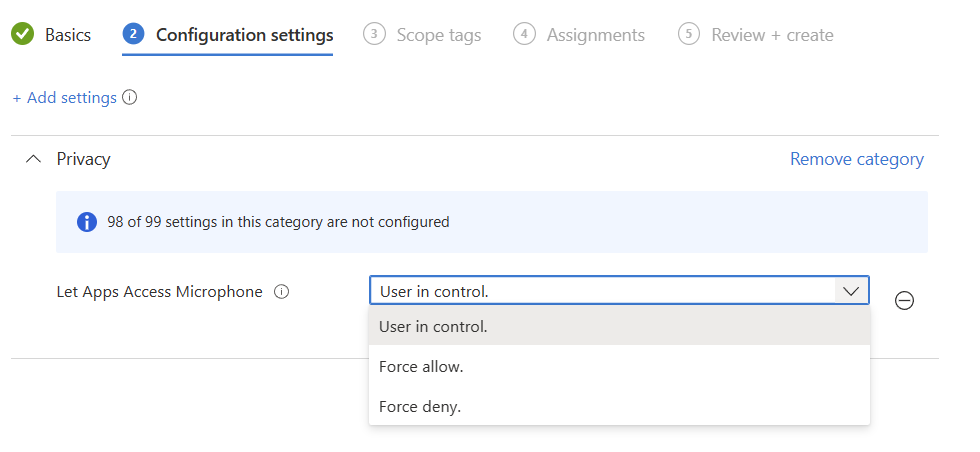
De opties verklaren zichzelf grotendeels, maar houd er rekening mee dat de optie ‘gedwongen toestaan’ of ‘weigeren’ van toepassing is op alle apps, zowel Win32 als Store. Op het moment van schrijven is het niet mogelijk om specifieke Win32 apps (zoals de SalesNote ACT of Microsoft Edge) toegang te geven tot de microfoon, zonder de andere applicaties dit recht toe te kennen. Naar onze mening is deze beveiligingsfunctie niet voldoende uitgewerkt door Microsoft.
“Force allow” resulteert op de PCs in:
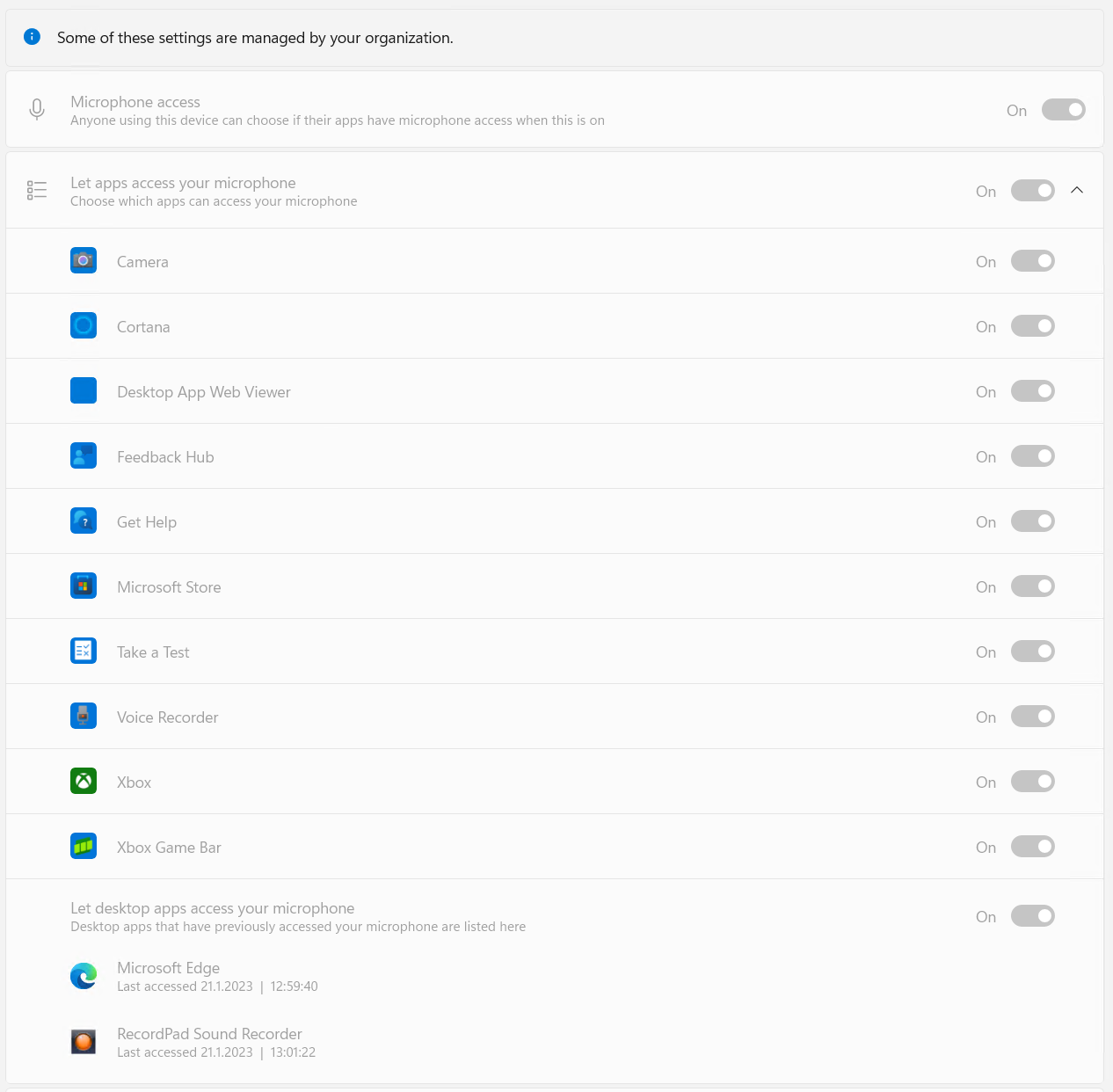
Meer informatie over instellingen via Microsoft Intune vindt u op https://learn.microsoft.com/en-us/mem/intune/configuration/device-restrictions-windows-10#per-app-privacy-exceptions
Gebaseerd op: https://sysmansquad.com/2023/01/21/microphone_app_permissions/