View audit logs
≈ 2 min read
Every significant action is recorded in the audit logs: who, what, when, from which IP address and via which channel. This way you can check exactly what happened in response to a customer inquiry, an audit or a security incident.
How to view the audit logs
- Open Audit logs
Click Audit Logs in the left menu. By default you see the entries from the last week, newest first.
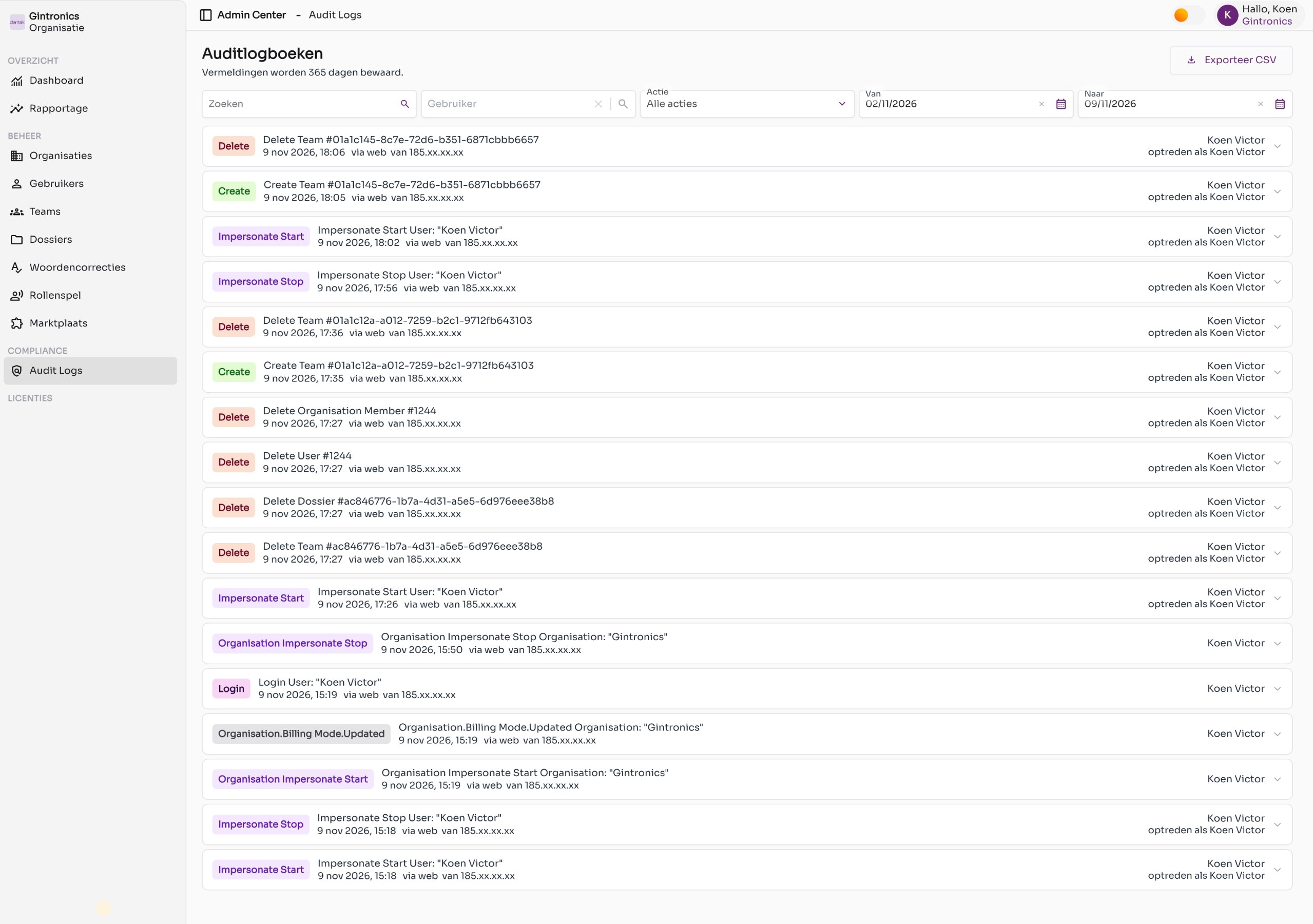
The audit logs with the filters at the top. IP addresses are masked in this example. - Filter the list
Use the fields at the top: Search (free text), User, Action and the period From and To. The list is updated immediately.
- Open the details of an entry
Click the arrow on the right in a row. You see the entity type (for example user or file), the entity id, the source (web or api), the request number and the metadata in json format.
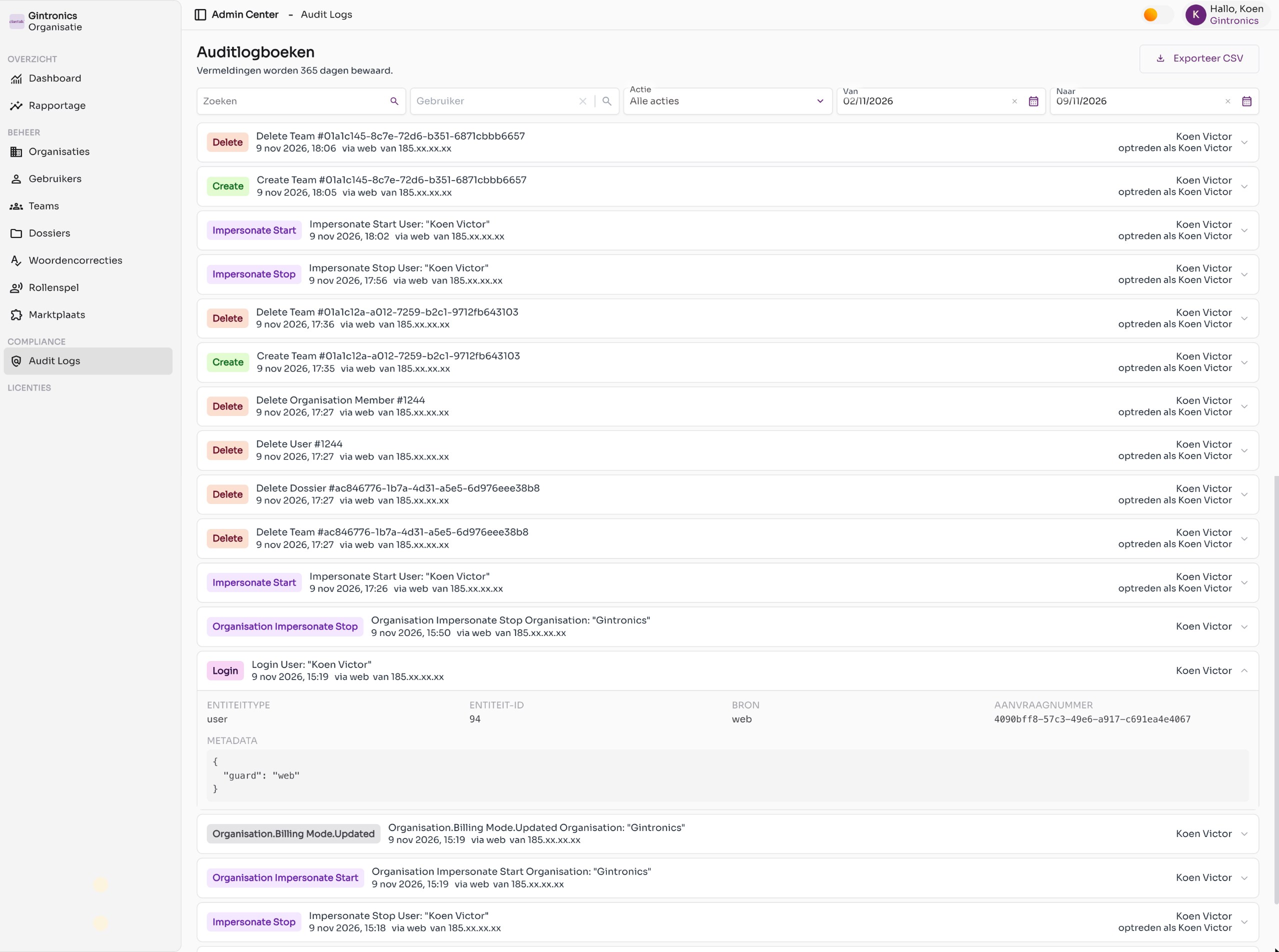
An expanded entry with the technical details. - Export to csv
Click Export csv in the top right. You receive a csv file with the entries that match your filters. The export itself is also logged as an action.
Which actions are logged
In the Action dropdown you can filter on one of these types:
| Action | Meaning |
|---|---|
| Create, Read, Update, Delete | A record (user, team, file, member …) was created, viewed, modified or deleted. |
| Login, Logout, Login failed | Sign-ins and failed sign-in attempts. |
| Change password | A user changed their password. |
| Create token, Revoke token | An api or connector token was created or revoked. |
| Impersonate start / stop | An administrator temporarily took over the identity of a user (impersonation). The row shows acting as with the name. |
| Organization impersonation started / stopped | An administrator temporarily worked in the context of another organization. |
| Export | An export, for example of the audit logs themselves. |
Good to know
- Entries are retained for 365 days. If you need a longer retention period, export periodically to csv.
- The audit logs are read-only. No one, not even an administrator, can modify or delete entries.
- For questions regarding compliance or the data processing agreement, see the Policy & privacy section.